What Is an IP Address? A Complete Beginner's Guide
Learn what IP addresses are, how they work, and why they matter. Covers IPv4 vs IPv6, public vs private IPs, and how to find yours.
- Written by
- TraceThatIP Team
- Published
- Reading time
- 5 min read

What Is an IP Address?
An IP address (Internet Protocol address) is a unique number assigned to every device connected to the internet. Think of it as a digital mailing address. Without it, data would have no idea where to go.
When you visit a website, your browser sends a request from your IP address to the server hosting that site. The server reads your IP, processes the request, and sends the response back to exactly where it came from.
Every smartphone, laptop, smart TV, and even IoT devices like thermostats have an IP address when they connect to a network.
How IP Addresses Work
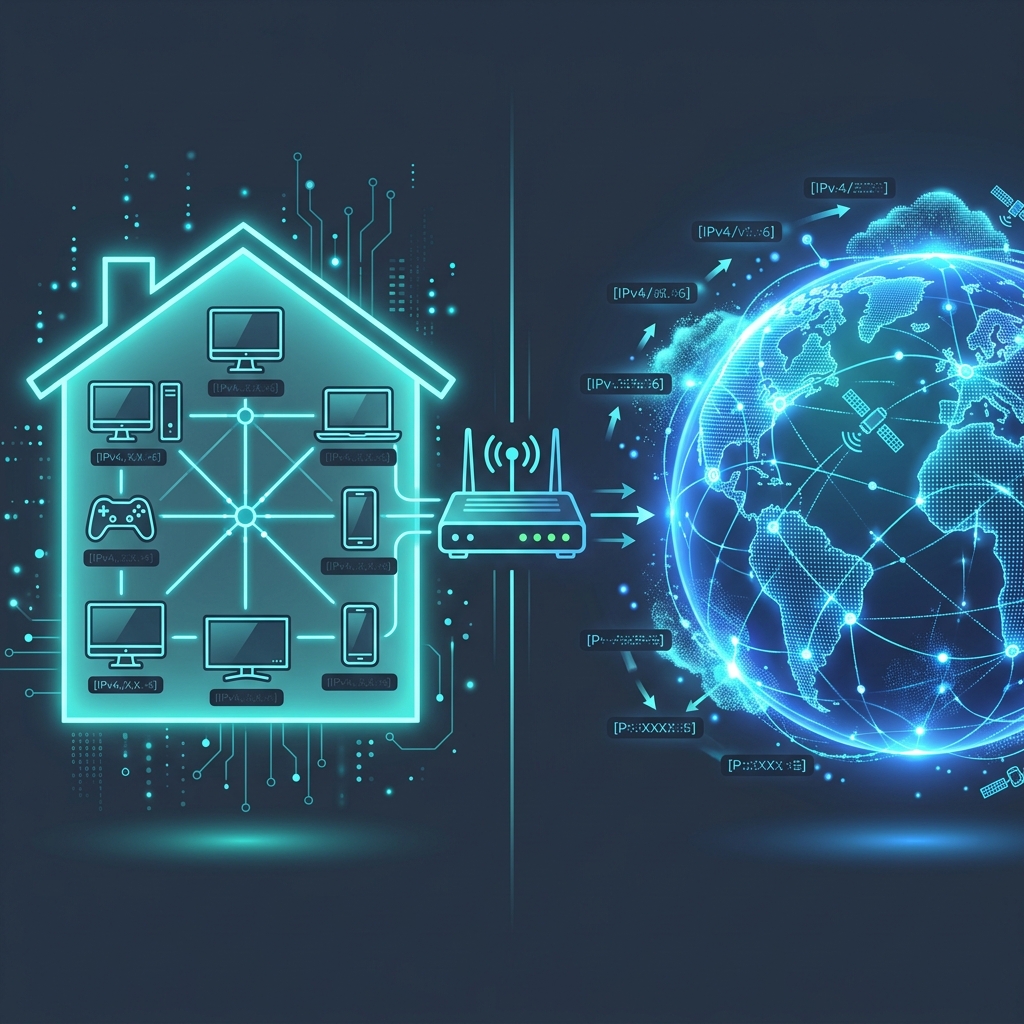
IP addresses are part of the Internet Protocol, a set of rules governing how data packets travel across networks. Here is a simplified flow:
- Your device connects to your router (home network)
- Your ISP assigns a public IP address to your router
- Your router assigns private IP addresses to each device on the local network
- When you request a webpage, the request carries your public IP
- The server responds by sending data back to that public IP
- Your router forwards the response to the correct device using its private IP
This two-layer system is what makes modern networking possible.
IPv4 vs IPv6
There are two versions of IP addresses in use today:
IPv4 (Internet Protocol version 4)
IPv4 addresses look like this: 192.168.1.1
They use 32 bits, which means there are roughly 4.3 billion possible addresses. That sounds like a lot, but with billions of devices online, we have already exhausted the global supply of IPv4 addresses.
Format:    xxx.xxx.xxx.xxx
Example:   8.8.8.8 (Google DNS)
Range:     0.0.0.0 to 255.255.255.255
Total:     ~4.3 billion addresses
IPv6 (Internet Protocol version 6)
IPv6 was created to solve the address shortage. IPv6 addresses look like this: 2001:0db8:85a3:0000:0000:8a2e:0370:7334
They use 128 bits, providing approximately 340 undecillion addresses (that is a 39-digit number). We will never run out.
Format:    xxxx:xxxx:xxxx:xxxx:xxxx:xxxx:xxxx:xxxx
Example:   2001:4860:4860::8888 (Google DNS IPv6)
Total:     ~340 undecillion addresses
Most modern devices support both IPv4 and IPv6 simultaneously, a configuration called dual-stack.
Public vs Private IP Addresses
Not all IP addresses are the same. There are two key types:
Public IP Addresses
Your public IP is the address the rest of the internet sees. It is assigned by your ISP and is unique across the entire internet. When someone talks about "tracing an IP address", they mean the public IP.
You can find your public IP instantly using our What's My IP tool.
Private IP Addresses
Private IPs are used within your home or office network. They are not visible to the outside world. Common private IP ranges include:
| Range | Class | Typical Use |
|---|---|---|
10.0.0.0 - 10.255.255.255 | Class A | Large enterprise networks |
172.16.0.0 - 172.31.255.255 | Class B | Medium networks |
192.168.0.0 - 192.168.255.255 | Class C | Home routers (most common) |
Your laptop might have 192.168.1.105 as its private IP, while your public IP (shared by all devices on your network) could be something like 203.45.67.89.
How IP Addresses Are Assigned
Dynamic Assignment (DHCP)
Most home internet connections use DHCP (Dynamic Host Configuration Protocol). Your ISP assigns you a public IP from their pool, and it may change periodically - every few hours, days, or when you restart your router.
This is why your IP address might be different today than it was yesterday.
Static Assignment
Static IPs never change. They are typically used for:
- Web servers (so the domain always points to the same address)
- Email servers
- VPN endpoints
- Security cameras and remote access systems
Businesses often pay extra for static IP addresses from their ISP.
How to Find Your IP Address
Find Your Public IP
The fastest way is to use an online tool. Our What's My IP page detects your public IP instantly with no software required.
For developers, you can also get your IP programmatically in different formats using our IP Formatter tool - available in JSON, XML, YAML, and plain text.
Find Your Private IP
On macOS/Linux, open Terminal and run:
ifconfig | grep "inet " | grep -v 127.0.0.1
On Windows, open Command Prompt and run:
ipconfig | findstr "IPv4"
What Can Someone Do With Your IP Address?
Your IP address is not a secret. Every website you visit can see it. But what can someone actually do with it?
What they CAN do:
- Determine your approximate city and country (not your street address)
- Identify your ISP
- Use it for targeted advertising
- Attempt to scan for open ports on your network
What they CANNOT do:
- Find your exact physical location or home address
- Access your device or files directly
- Hack into your accounts (your IP alone is not enough)
You can see exactly what information is visible from any IP using our IP Lookup tool. Try looking up your own IP to see what the world can see.
How to Protect Your IP Address
If privacy is a concern, here are the most effective methods:
- Use a VPN - Encrypts your traffic and masks your real IP with the VPN server's IP
- Use Tor Browser - Routes traffic through multiple relays, making tracing extremely difficult
- Use a proxy server - Acts as an intermediary, but does not encrypt traffic like a VPN
For most people, a reputable VPN service provides the best balance of privacy, speed, and ease of use.
Summary
IP addresses are the foundation of how the internet works. Every connection, every website visit, and every email relies on them. Understanding the basics - IPv4 vs IPv6, public vs private, and how they are assigned - gives you better insight into your digital footprint and how to protect it.
Ready to explore?
- Look up any IP address to see its location, ISP, and network data
- Check your own public IP instantly
- Get your IP in developer formats (JSON, XML, YAML)
Topics